There is a hidden expense that never appears on any balance sheet, that has no dedicated line in accounting, and yet can cost your company thousands of dollars a year. It’s not a supplier charging you more or a client who won’t pay. It’s something far closer: the job role where you and your team spend eight hours a day.
According to the European Agency for Safety and Health at Work (EU-OSHA), 32% of sick leave in Europe is directly related to musculoskeletal disorders. Back pain, tense necks, wrists that protest. In Spain, these disorders are the second most frequent cause of absenteeism, responsible for more than 25% of sick days. Exertions on the musculoskeletal system account for 36% of work-related accidents with sickness absence, according to INSST data.
The figure that should make any SME leader pause is this: for every dollar invested in ergonomics, the return can reach six dollars, according to a Cornell University study. This isn’t an optimistic projection. It’s pure arithmetic: fewer absences, less turnover, more focus, higher performance.
Yet, most SMBs continue equipping their workstations with whatever first item they find in the cheapest catalog.
The Office Is No Longer Just the Office
If the problem were only about offices, that would already be grave. But the scenario has multiplied.
In the United States, teleworking has grown substantially, and the hybrid model is now widespread: many employees work from home about 2.4 days per week. The practical implication for a small business is that each employee effectively needs two workable setups: one at the office and one at home. And what happens in most cases is that the home setup is improvised: a living room table, a kitchen chair, the laptop resting on a couple of books. Eight hours a day. Five days a week. For months.
It isn’t just a matter of comfort. The federal guidelines require employers to assess ergonomic risks for workstations with display screens, and that obligation extends to remote work setups as well. What many SMBs don’t realize is that the responsibility for the telework station does not disappear because the worker is at home.
From head to wrist: the four zones demanding attention
The problems arising from a poorly configured workstation do not appear overnight. They accumulate. And they manifest in four zones that anyone who spends hours in front of a screen will recognize.
Eyes and concentration: the light you don’t see but exhausts you
The first source of fatigue at a workstation isn’t the screen itself, but what surrounds it. Inadequate lighting, too direct, with shadows on the keyboard, or reflections on the monitor, generates eye strain and headaches that erode productivity hour by hour.
The solution is to use natural light as the main source and complement it with indirect warm-toned lighting. Hama’s smart LED bulbs let you regulate color temperature and brightness from your phone, adapting the light to the time of day without leaving your chair. It’s a small change that makes a noticeable difference from day one.
Air quality also matters. In closed spaces, especially small offices or rooms converted into home offices, air can become stale quickly. The Hama Smart Air Purifier, with a triple HEPA filter, neutralizes viruses, pollen, and dust, keeping a cleaner environment that supports concentration through long workdays.
Neck and cervical spine: the screen that makes you look downward
More than 50% of Spanish workers suffer from cervical issues, according to EU-OSHA data. The primary cause is as clear as it is ignored: the screen sits too low. When you work with a laptop directly on the desk, the top of the screen is well below eye level, forcing the neck to stay flexed for hours.
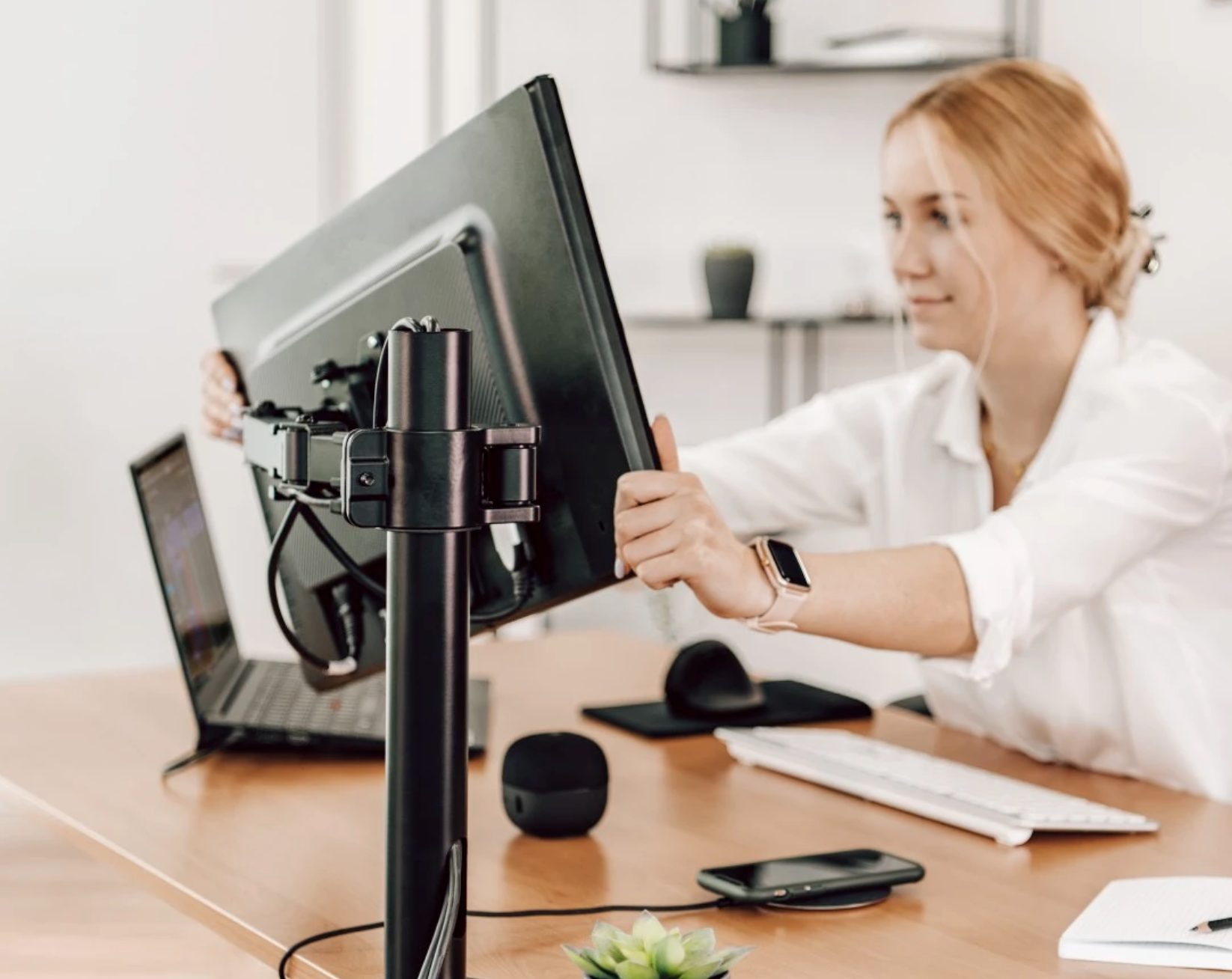
There are two ways to fix it. First, an adjustable monitor stand with an articulating arm. Hama monitor stands let you adjust height, tilt, and swivel to find the exact position that respects natural posture. They’re available for one monitor, two, or even three, with integrated cable management and mounted to the desk with screws—no drilling required. They support 13 to 32-inch screens and hold up to 10 kg per arm.
The second option is especially interesting for laptop users: the Connect2Office Stand docking station from Hama. It’s a two-in-one: a docking station with 12 USB-C ports (including HDMI, DisplayPort, USB-A, Ethernet, and Power Delivery) that also works as a tilted laptop stand. You place the laptop on it, connect a single cable, and you have an elevated monitor, external keyboard, mouse, and all peripherals running through one connection.
When you need to take the laptop to a meeting, you unplug just one cable. For SMBs that operate in a hybrid mode with laptops, it’s probably the most cost-effective accessory in the catalog.
Back: the problem that causes the most sick days
Back pain is the most common musculoskeletal disorder among the European working population. Data are compelling: according to the National Work Conditions Survey, around 30% of temporary disabilities relate to back, neck, or joint problems. And the cause, in office jobs, is almost always the same: too many hours sitting in the same position without the opportunity to move or change posture.
Yes, the chair matters. But so does what surrounds the workstation. A laptop elevating stand from Hama allows you to tilt the device to an angle that supports good posture and, at the same time, improves ventilation of the device. When paired with an external keyboard and mouse, it frees the worker from the posture forced by a flat laptop resting on the desk.
Wrists and hands: the silent damage of repetitive movements
About 26% of Spanish workers suffer wrist and arm pain. It’s the area most underestimated and the one that most often leads to chronic issues, because mouse movements are so repetitive and constant that the damage accumulates before you realize it.
Hama vertical ergonomic mice, such as the EMW-500, place the hand in a natural 60-degree position, eliminating the forearm torsion caused by a conventional mouse. They are available wired or wireless, also in a left-handed version, with an optical sensor up to 1,800 DPI and a sensitivity switch. They aren’t expensive—around $25—and the impact on wrist fatigue is noticeable within days. It’s true that the first week can feel unusual, but once you adapt, it’s hard to go back.
Hama also offers vertical mice with Bluetooth and rechargeable battery that eliminate the USB receiver and allow switching between multiple devices. For those who travel or work across several devices, it’s a more versatile option.
The complete setup: outfit without breaking the bank
One of the most common barriers for SMBs to invest in ergonomics is the perception that equipping a workstation “properly” costs a fortune. It doesn’t have to.
A functional ergonomic workstation with Hama products can be assembled by combining pieces that individually have very accessible prices:
- Articulated monitor stand to place the screen at the correct height.
- EMW-500 ergonomic vertical mouse to avoid wrist twisting.
- Connect2Office Stand docking station as a hub of connections and a laptop stand in one device.
- Some office headset with a microphone, like Hama’s HS-P150 V2, for videoconferences without ambient noise and with cushions that don’t pinch after hours of use.
- A Full HD or 4K webcam for meetings where your professional image matters, and smart LED bulbs to control lighting.
The complete setup can be under $300. For a small business looking to outfit five remote-workstations, that’s an investment under $1,500 that, with the ROI data we cited, pays back in months just from fewer sick days and productivity gains.
Habits no accessory can replace
Setting up the workstation properly is necessary, but not enough. Studies are clear: regular active breaks reduce musculoskeletal discomfort by up to 30% when performed consistently, per guidelines from OSHA/NIOSH in the United States.
You don’t need a gym. Five minutes every hour will do: rotate the shoulders, stretch the forearms, tilt the torso laterally, close your eyes, and massage the temples. These are exercises you can do without leaving your chair and that break the tension cycle that turns a workday into a future trip to the physical therapist.
The Hama ergonomics guide itself includes specific exercises for each pain zone—head, neck, back, and wrists. They’re simple, step-by-step, and you can share them with your team as part of a basic employee-wellness policy that costs nothing to implement.
The most cost-effective investment your SMB can make
We’ve spent years talking about digital transformation in SMBs: software, cloud, AI. And that’s valuable. But there’s a far more basic transformation that many companies still haven’t done: the physical workstation where the people who keep the business running sit.
With millions of teleworkers in the United States and a hybrid model here to stay, plus a regulatory environment that requires employers to address ergonomics even in remote setups, continuing to improvise isn’t just a bad idea. It’s a legal risk, a hidden cost, and, above all, a lack of respect for the people who make your business work.
Six dollars of return for every dollar invested. The numbers speak for themselves. The question isn’t whether you can afford to invest in ergonomics. The question is how much you’re costing yourself by not doing it.